Notary Video Call: How It Works and What to Expect
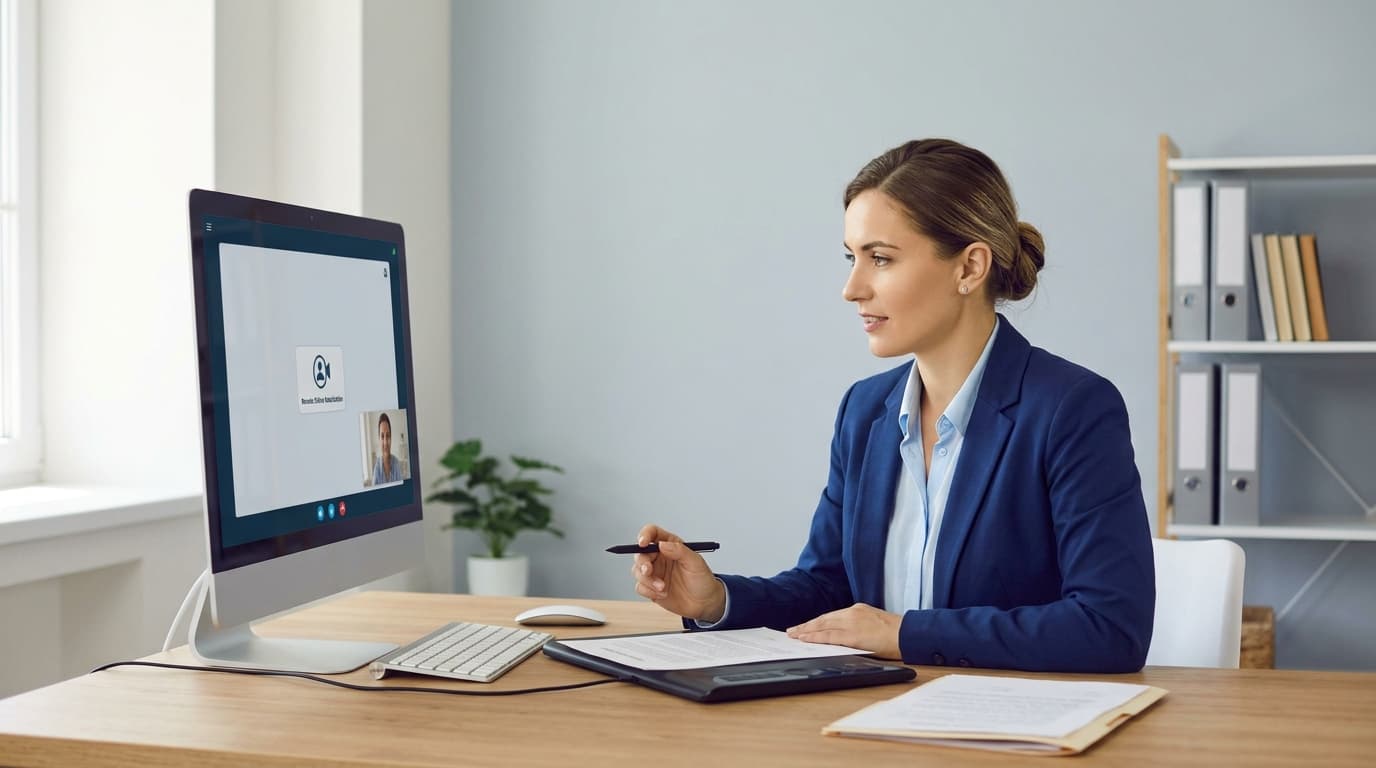
What a Notary Video Call Is and Whether It Is Legal for Your Document
A notary video call is a live, face-to-face session where a commissioned notary public checks your ID, watches you sign, and applies their official seal over a secure video connection rather than across a desk. The industry calls it remote online notarization, or RON. According to the National Notary Association, the notary and the signer sit in two different locations during the process, and that is exactly what makes it so convenient. You stay at home or at your office. The notary does the job on screen.
Is a notary video call legal? In most U.S. states, yes, though the rules are not uniform. Legislatures have written specific requirements for it. Colorado's audio-video communication notarial acts bill, for example, calls for a tamper-evident electronic system that meets standards set by the secretary of state. Massachusetts's Chapter 71 of the Acts of 2020 requires a notary who performs an act by video conference to make an audio and video recording of the session. A pattern shows up in both: the law permits video notarization, then wraps safeguards around identity, technology, and record-keeping.
Because state rules differ, two things decide whether your document works: the rules where the notarial act takes place, and what the receiving party requires. Before you book, confirm that your bank, lender, court, or agency accepts remotely notarized documents. Most do, but some have their own preferences, and a quick check can spare you a second attempt.
Step-by-Step: How a Remote Notary Video Session Works
The process is simpler than most people expect. With GoNotarize it comes down to four steps, and you never have to create an account.
1. Enter the signer details. Start by telling us who will be signing. If several people need to sign, add them here. The session handles multiple signers.
2. Upload your document. Upload your file as a PDF. Since the document is digital from the start, there's nothing to print, scan, or courier. Make sure it's complete, and leave the signature lines blank. Your signature belongs in front of the notary, not before the call.
3. Review transparent pricing. Before anything happens, you see what the session will cost. Extras like additional stamps or signatures, or witness services, are included up front, so the end of the call holds no surprises.
4. Meet the notary on video. You connect with a commissioned notary for a live session, typically within about five minutes. The notary confirms who you are, makes sure you understand the document and are willing to sign it, watches you sign, and then completes the notarization with their digital seal. The finished document arrives electronically, ready to send wherever it needs to go.
For the call itself, keep things practical. Use a device with a working camera and microphone, find a quiet, well-lit spot, and keep your government-issued photo ID within reach. For a broader walkthrough, our guide to notarizing documents online covers the whole experience in more depth, and you can begin a session any time at GoNotarize.online.
Identity Verification, Session Recording, and Your Privacy
A video notarization has to be at least as trustworthy as an in-person one, and the safeguards are built to make sure it is.
Identity verification. Remote notarization typically stacks several checks. One is credential analysis, where a government-issued photo ID is scanned and examined. Another is knowledge-based authentication, which can involve answering questions drawn from your personal and credit history, as the National Notary Association describes. On top of that, the notary sees you live on camera and compares you with your ID. A stolen ID alone won't get anyone through.
Session recording. The video session is recorded and stored securely for the retention period set by state law. Industry sources put that period at roughly five to ten years, depending on the state. The recording isn't a privacy intrusion so much as an audit trail: if the notarization is ever questioned, there's a verifiable record of what happened. State law reflects this directly. Massachusetts, as noted above, requires an audio and video recording of each video-conference notarial act.
Your privacy. Treat a notary session like any other sensitive transaction. Join from a private space, since the call captures your screen and your background. Share your ID only inside the notarization session, never by email or text to someone claiming to be a notary. And choose a platform that uses secure, tamper-evident technology of the kind legislators have specifically required. The recording exists to protect you and the integrity of the document, not to be passed around.
Which Documents Can Be Notarized by Video, and Who Will Accept Them
A wide range of everyday paperwork can be notarized over video: affidavits, contracts and business agreements, consent and authorization forms, declarations, and many personal and financial documents. If a document needs a notary's acknowledgment, jurat, or signature witnessing, there's a good chance it can be handled remotely.
Some categories deserve extra attention. Industry guidance notes that powers of attorney, wills, and real estate documents can carry additional identity-verification steps or state-specific requirements. If you're working on one of these, read up first. Our article on how to notarize a power of attorney online explains what to expect. Wills in particular fall under their own witnessing rules in many states, so check the requirements for your situation before you proceed.
Acceptance is the other half of the question. Most banks, employers, businesses, and agencies accept remotely notarized documents, because a notarization done under state rules carries the same legal weight as an in-person one. The exceptions are mostly institutions with their own procedures, certain lenders being a common example. The easiest habit is to ask the recipient one direct question: "Do you accept documents notarized by remote online notary?" A thirty-second answer now prevents delays later. For a quick overview of the digital side of the service, see our page on eNotary services.
Why a Video Notary Call Beats an In-Person Visit, and How to Choose a Provider
The case for video comes down to time and friction. The traditional route means printing the document, finding a notary, traveling there, waiting, showing ID, and getting the stamp. One industry source says that can take the better part of a morning, though that's one provider's framing, not a measured average. A video session swaps all of that for a single appointment from wherever you are. For busy professionals, remote workers, and anyone without a notary nearby, the difference is substantial. You also get your document digitally, so you can send it on right away.
Convenience shouldn't cost you confidence, though, so choose a provider with care. Use these criteria:
Commissioned notaries. Confirm that the people on the call are genuinely commissioned notaries, not just a video-signing tool.
Clear pricing before you commit. You should see the total, extras like additional stamps or witnesses included, before the session starts.
Speed and availability. Look for a live notary in minutes rather than a days-long booking window.
No unnecessary hurdles. A provider that makes you create an account just to ask a question is adding friction you may not need.
Support for your situation. If you have multiple signers or need a witness, make sure those are offered in the same session.
Transparent security. Identity verification, secure storage, and session recording should be explained plainly, not buried.
GoNotarize is built around exactly those points: live video sessions in roughly five minutes, no account required, upfront pricing, and support for multiple signers, extra stamps and signatures, and witness services. When you're ready, start your session, upload your PDF, and meet your notary online.